
Your customers and employees get their own space to ask for help: they create guided requests, follow the progress of their tickets, order services from the catalog and check articles before writing.
What it is and how it helps
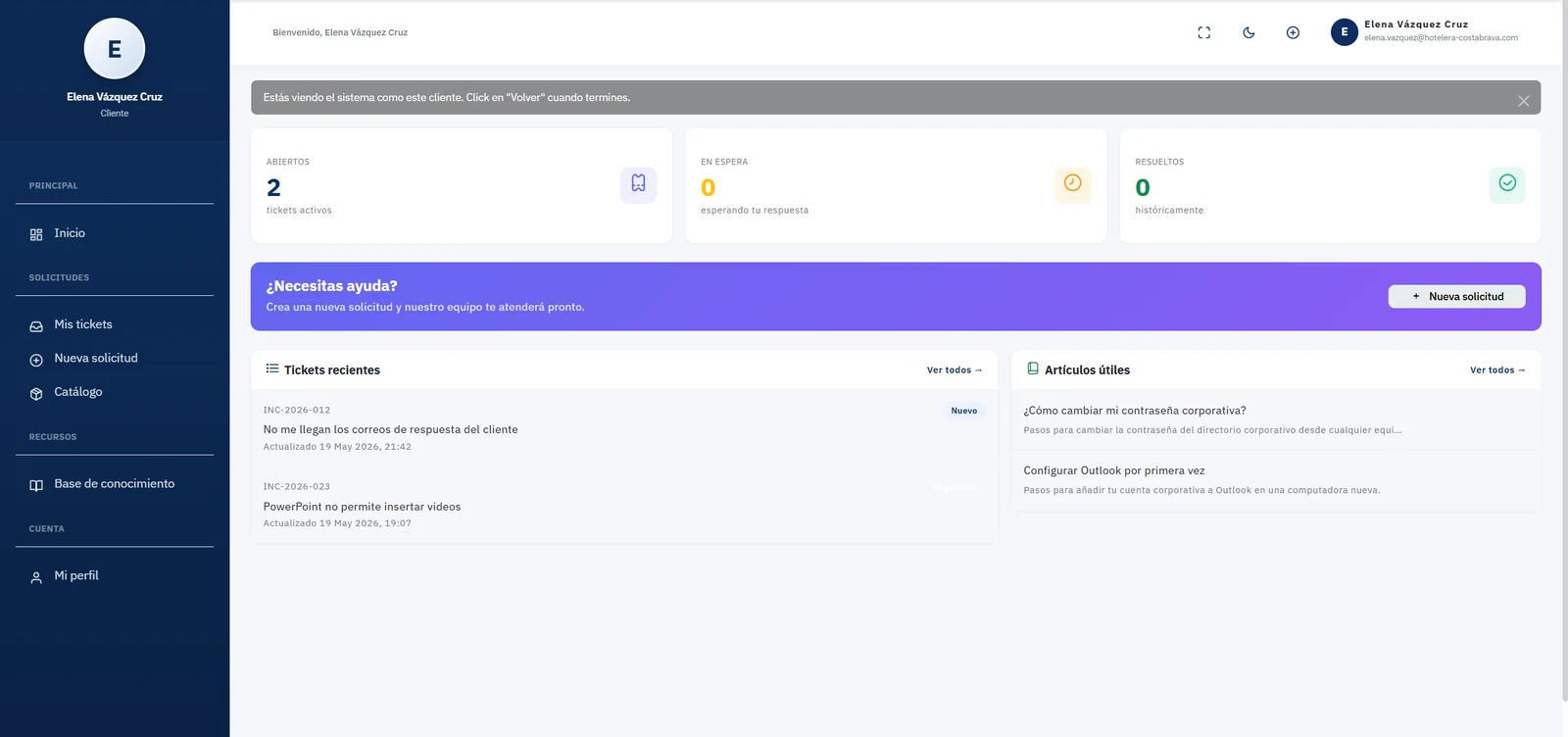
The portal is the face of your help desk for end users. When they log in, each person immediately sees how many tickets they have open, how many are waiting for their reply and how many were resolved, along with their most recent tickets and helpful knowledge base articles. All with your organization’s logo, colors and typography, configured in the Appearance section.
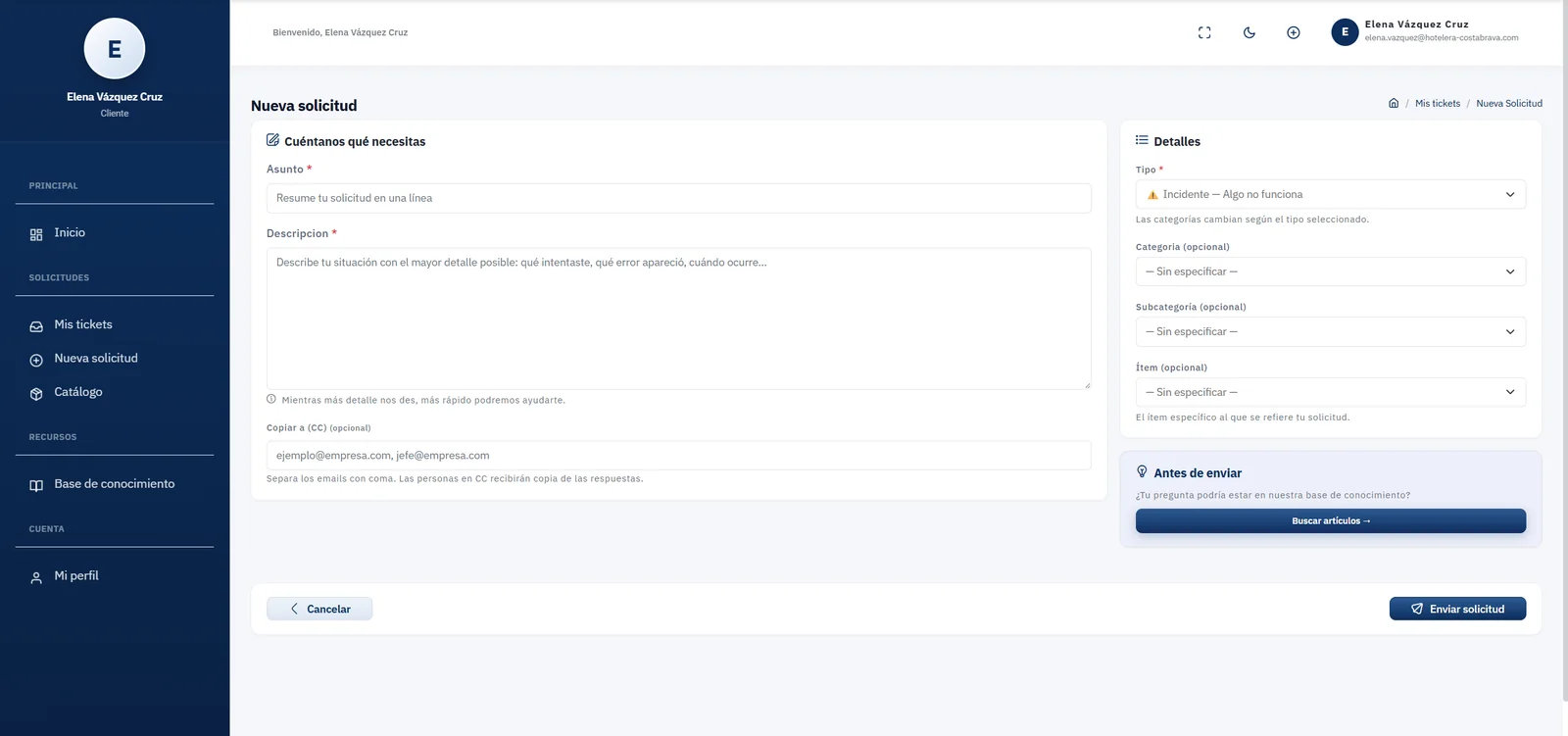
The new request form guides users to describe their case properly: subject, detailed description, request type (for example, an incident because something is not working) and, optionally, the category, subcategory and item. They can also copy other people by email so they receive the updates.
Before submitting, the portal suggests searching the knowledge base: many common questions —changing a password, setting up email, connecting to the VPN— are solved with an article, without creating a ticket. That deflection frees your team for the cases that really need it.
Key capabilities
Personalized home
Counters for open, pending and resolved tickets, recent tickets and helpful articles for each user.
Guided requests
A form with request type, description and optional classification so tickets arrive complete.
Search before submitting
Suggests knowledge base articles to solve common questions without opening a ticket.
Service catalog
Users order laptops, access, installations or password resets from a clear catalog.
Real-time tracking
Every user can check the status and conversation of their tickets at any time.
Your brand
Configurable logo, corporate colors and typography so the portal feels like your own.
Email copies
Users can CC colleagues or managers so they receive the updates.
View as customer
Administrators can see the portal exactly as a customer does to provide support or validate settings; the action is logged.
How it works
-
01
The user logs in
They see their ticket summary and the most helpful articles for their organization.
-
02
Search or request
They browse the knowledge base, choose a service from the catalog or create a new guided request.
-
03
Get updates
Every agent reply reaches them by email and stays visible in their history in the portal.
-
04
Rate the service
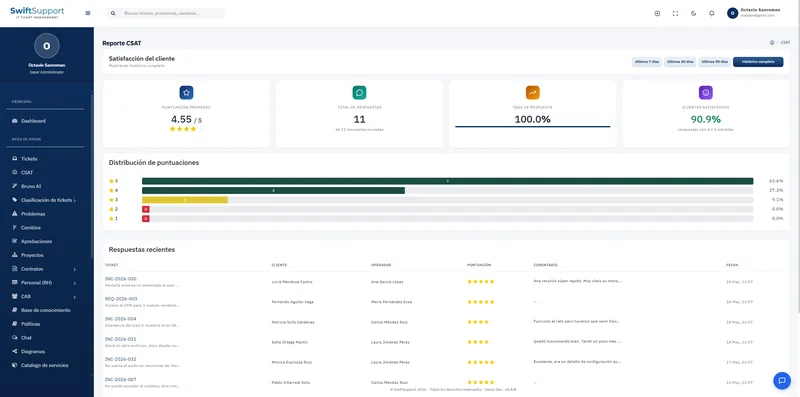
When the ticket is resolved they answer the CSAT survey and close the loop.