Your help desk, explained in plain language. Bruno is Swift Support’s artificial intelligence assistant: you ask it like you would ask a colleague and it answers with real data from your operation.
What it is and how it helps
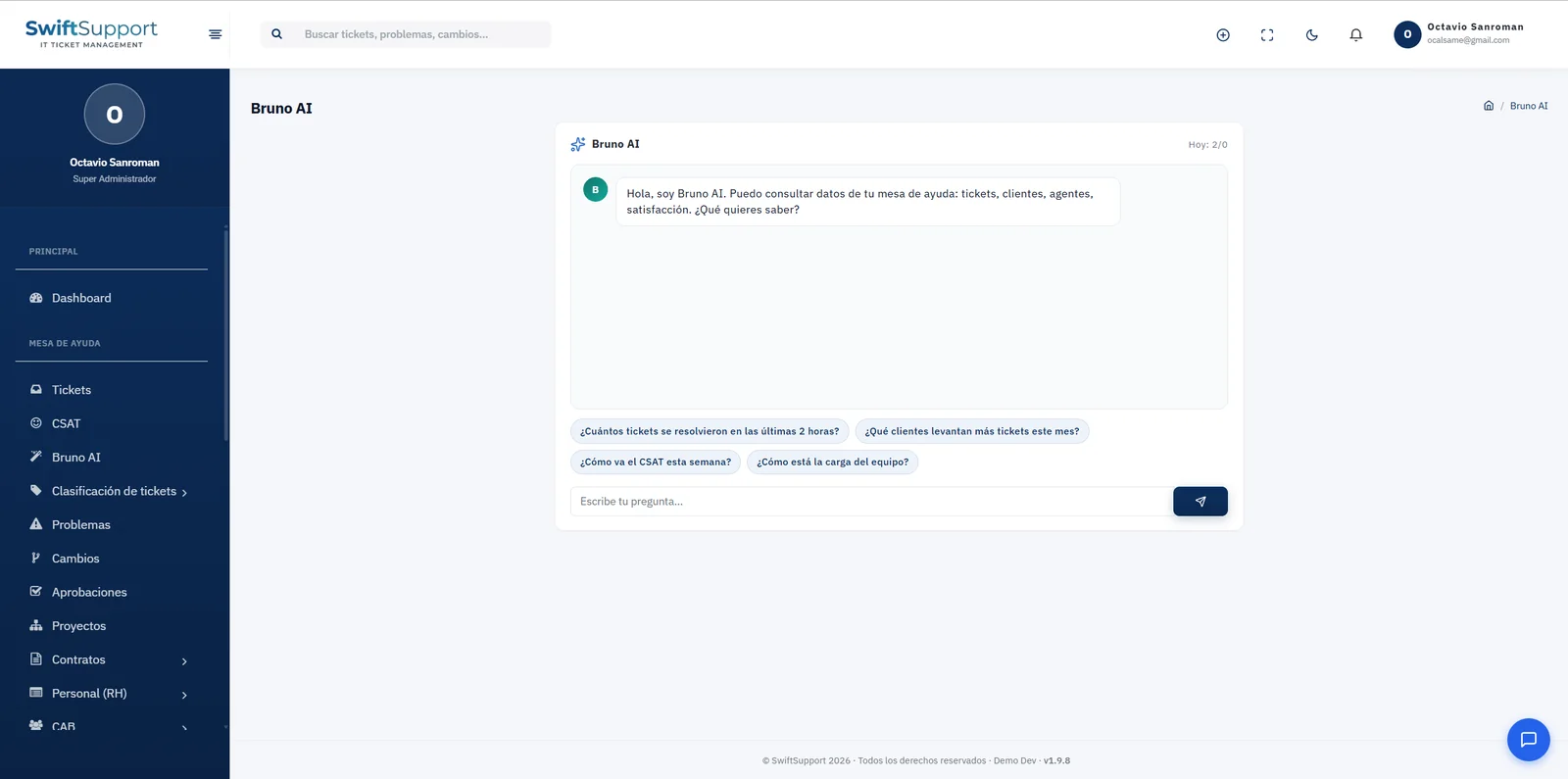
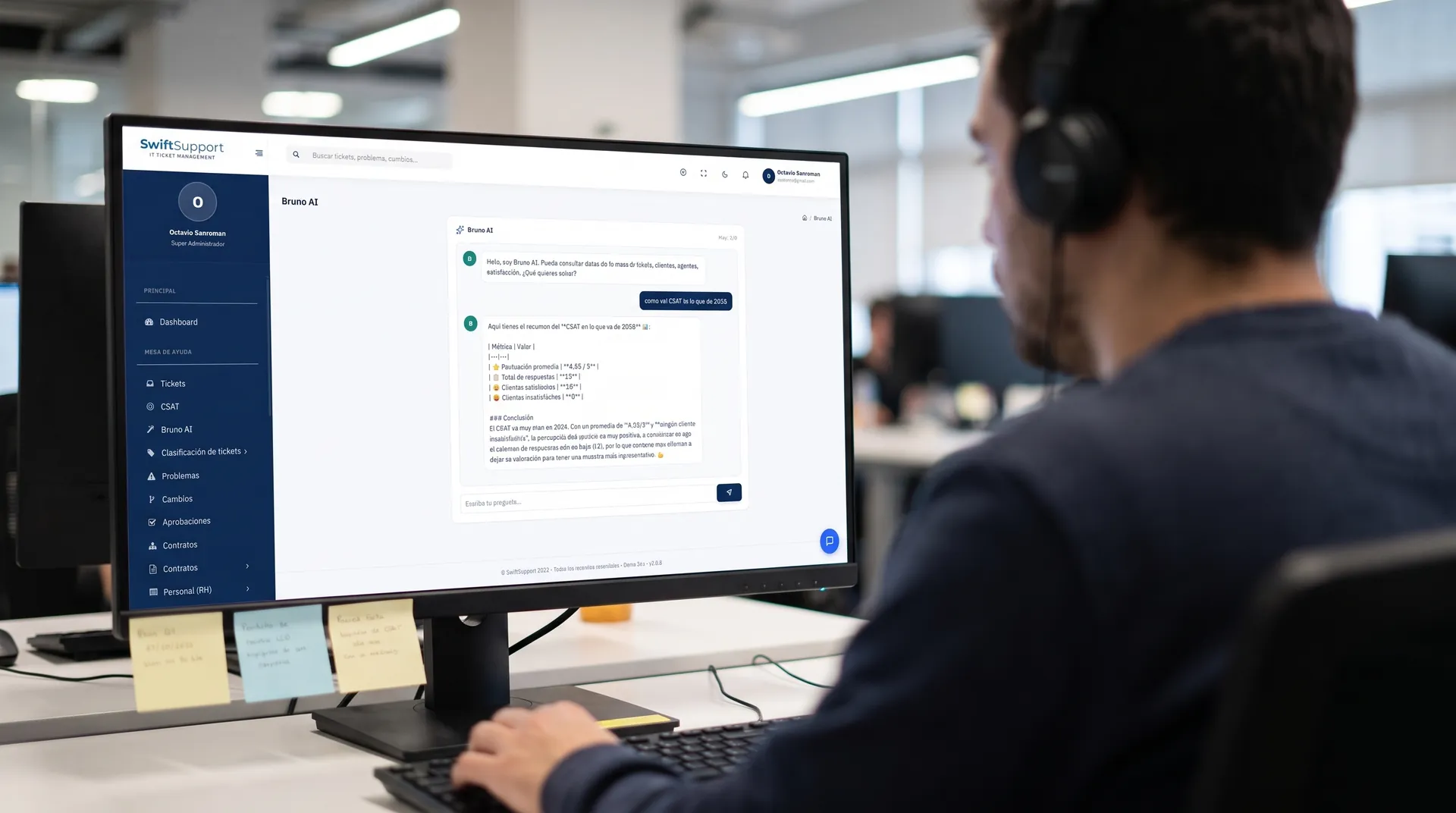
“How is CSAT doing so far this year?”, “How many tickets were resolved in the last 2 hours?”, “Which customers raise the most tickets this month?”, “How is the team’s workload?”. Questions like these usually mean building a report or asking someone for one. With Bruno you just type them.
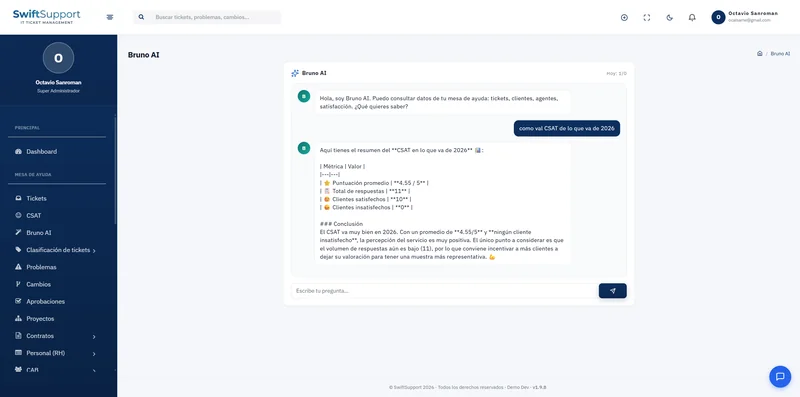
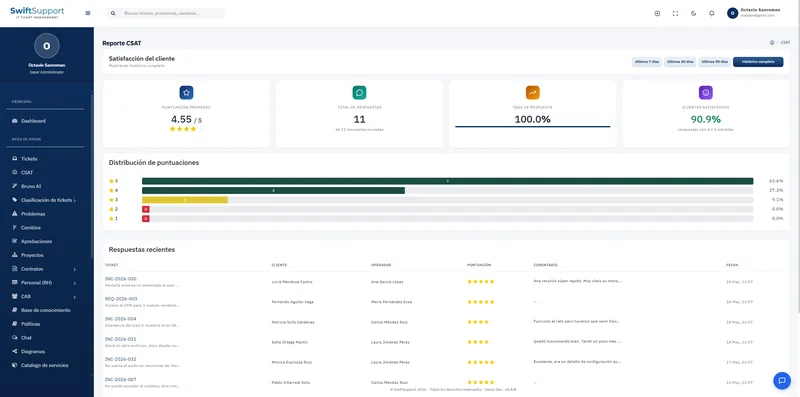
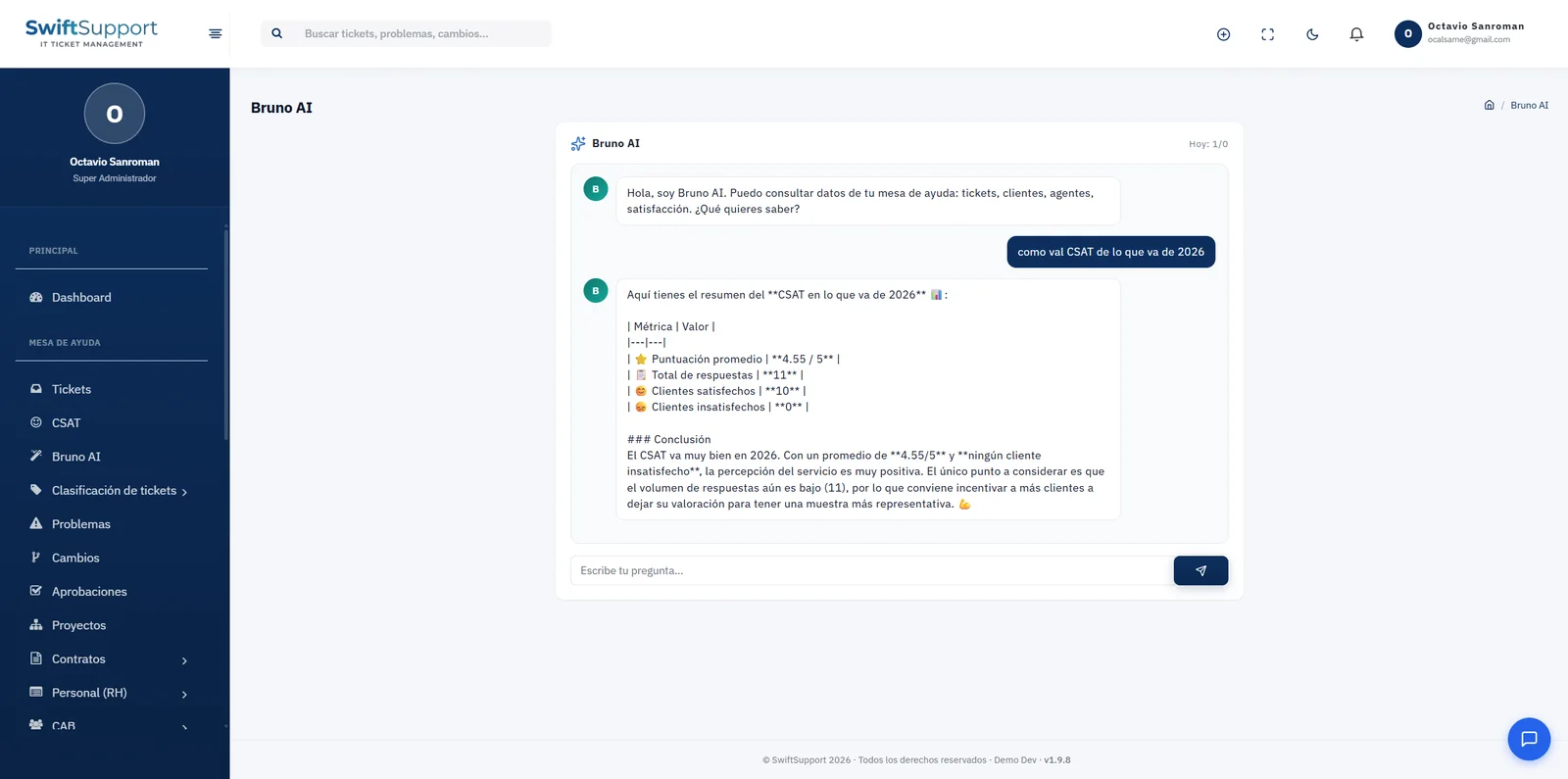
Bruno queries your help desk data —tickets, customers, agents and satisfaction— and replies with a clear summary, tables with the key metrics and a conclusion in simple language. For example, for a CSAT question it can return the average score, the total number of responses and the number of satisfied and dissatisfied customers, and point out that it is worth encouraging more responses if the sample is small.
Security is built into the design. Bruno works in read-only mode: it queries, it does not modify. Its use is controlled with permissions and a daily query limit, and every interaction is logged. Your organization also does not need to sign up for or manage keys from an AI provider: requests are handled through the Swift Support license server. For advanced users there is an optional permission that enables bounded SQL queries.
Key capabilities
Plain language
Ask the way you would talk to a colleague; no need to know reports or queries.
Data-backed answers
Summaries, metric tables and conclusions based on your real information.
Suggested questions
Shortcuts for the most common queries: recent tickets, customers, CSAT and team workload.
Read-only
Bruno queries data; it never creates, modifies or deletes information.
No AI keys to manage
Requests are handled through the Swift Support license server.
Usage limit
A daily query quota per user, visible in the conversation itself.
Permissions and audit
Who can use Bruno is defined by role, and every query is logged.
Bounded SQL (advanced)
An optional permission that lets the agent run bounded SQL queries.
How it works
-
01
Open Bruno AI
From the side menu, open the conversation with Bruno.
-
02
Ask
Type your question or choose one of the suggestions.
-
03
Bruno queries
The assistant reviews your help desk data in read-only mode.
-
04
Get the answer
You receive a summary with metrics, tables and an actionable conclusion.