Know what you have, where it is and who is using it. The Swift Support inventory records every asset in your organization and connects it to tickets, contracts and HR processes.
What it is and how it helps
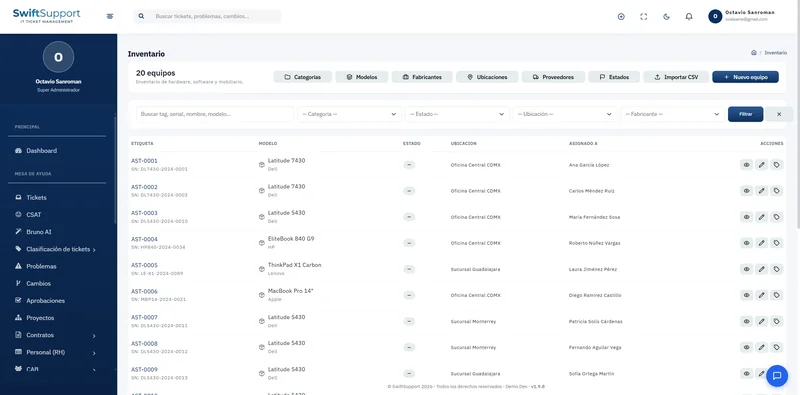
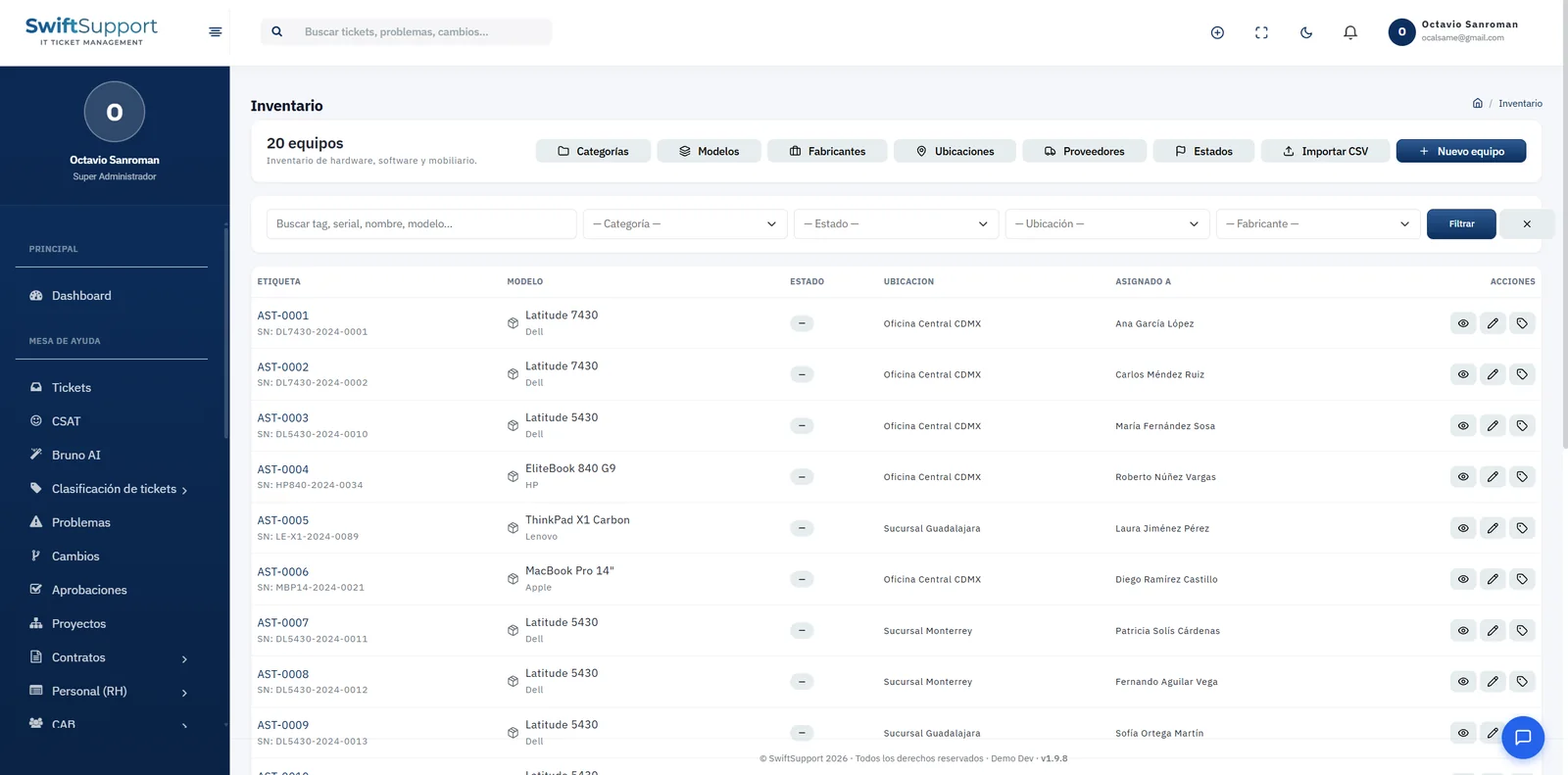
Each asset has a unique tag (for example, AST-0001), serial number, model and manufacturer, status, location and the person it is assigned to. The list can be filtered by text (tag, serial, name or model), category, status, location and manufacturer, so you can find any device in seconds.
The inventory catalogs are managed from the same screen: categories, models, manufacturers, locations (for example, head office or branches), vendors and statuses. That way information is captured consistently and reports are reliable.
To get started quickly, CSV import lets you load your existing inventory instead of entering it item by item. The system also records each asset’s assignments, maintenance and movements, so its full history is available when it is time to decide on replacements or respond to an audit.
Key capabilities
Asset tag and serial number
Unique identification of every asset to locate and audit it.
Complete catalogs
Categories, models, manufacturers, locations, vendors and statuses.
Assignment to people
Who has each device and since when, with assignment history.
Maintenance
Record repairs and maintenance to know the real cost of each asset.
Movements
Transfers between locations and changes of owner are documented.
CSV import
Load your existing inventory in one go.
Equipment agreements
Equipment use agreement templates with terms of use by country.
Search and filters
By text, category, status, location and manufacturer.
How it works
-
01
Set up the catalogs
Create categories, models, manufacturers, locations, vendors and statuses.
-
02
Load the inventory
Import your CSV file or register assets one by one.
-
03
Assign and document
Hand out equipment to people and record maintenance and movements.
-
04
Query and decide
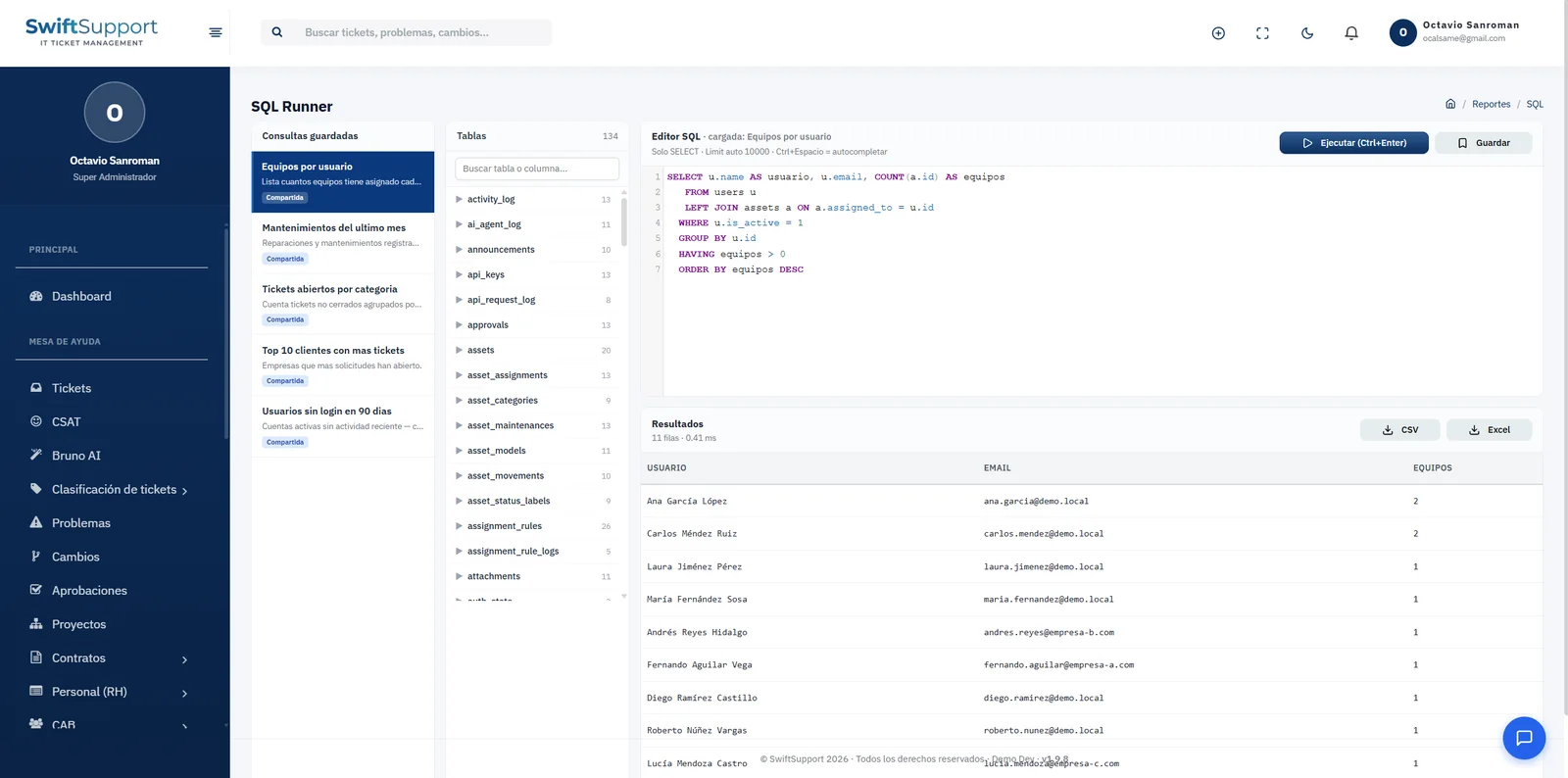
Use filters, reports and the SQL Runner to plan replacements and audits.