No contract expires by accident. Swift Support stores your vendor contracts, warns you before they expire and lets you sign them electronically without leaving the platform.
What it is and how it helps
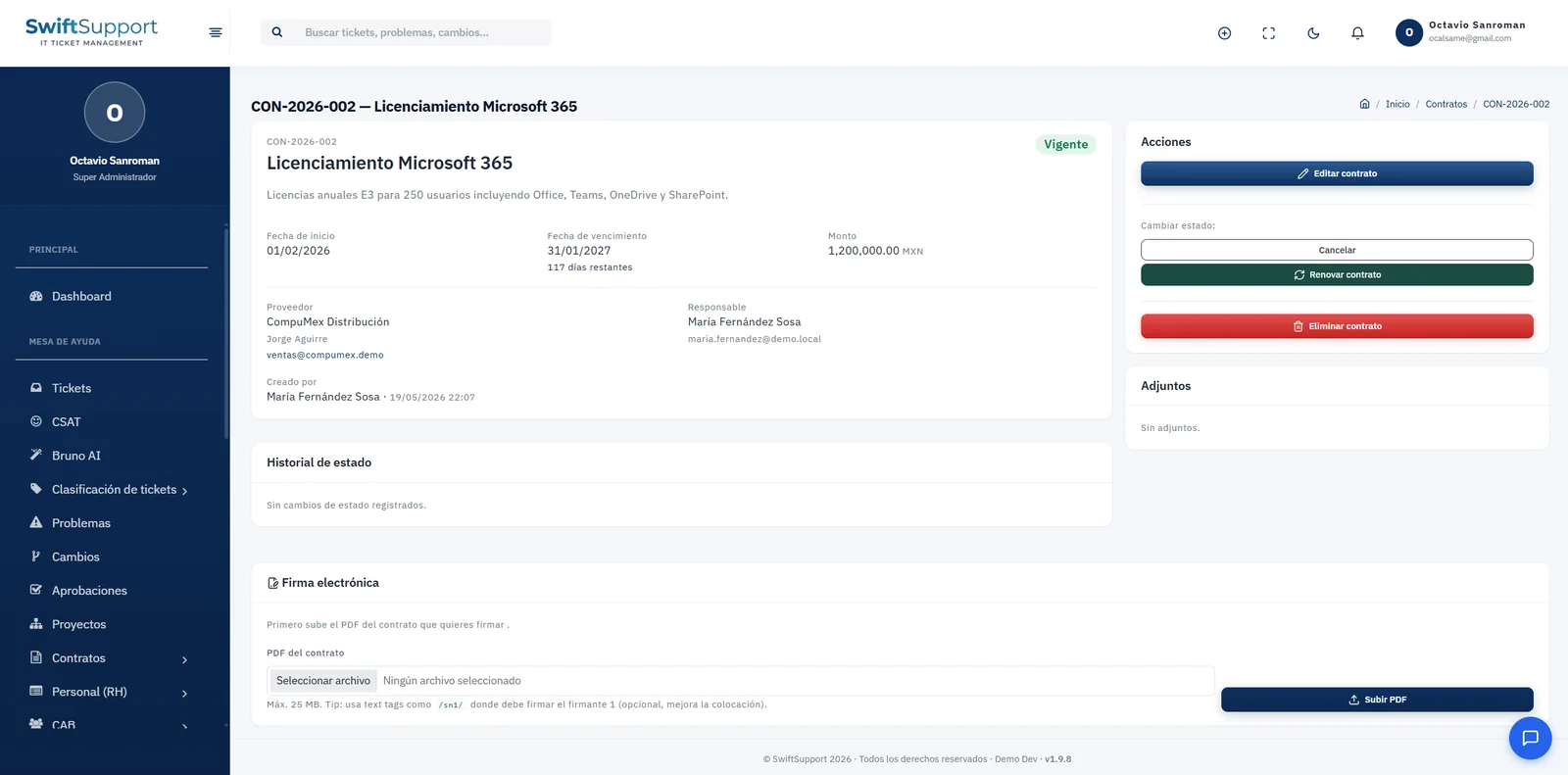
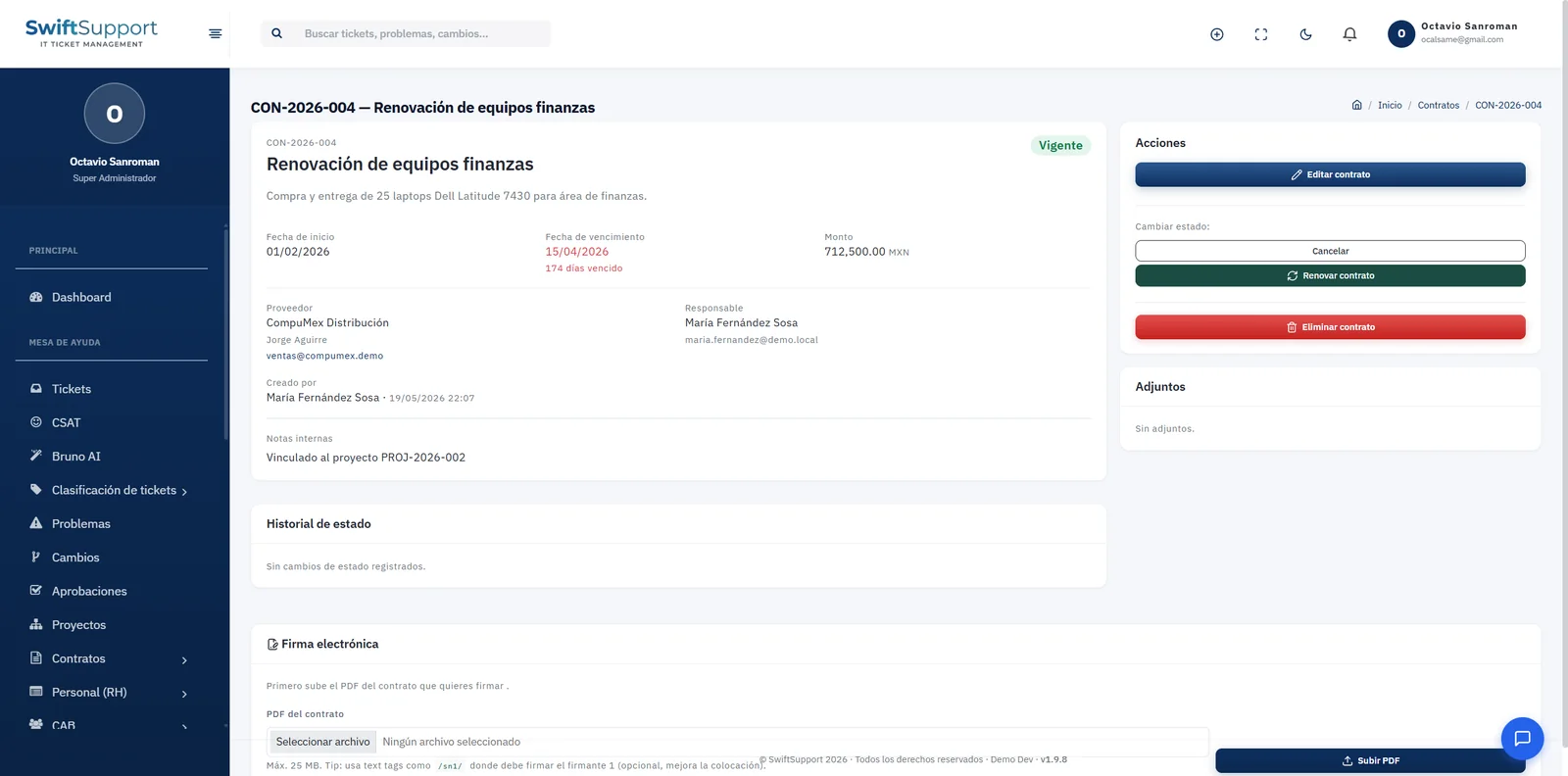
Licenses, equipment leases, network links, vendor support, cloud services: IT operations depend on contracts that expire on different dates. Each contract in Swift Support has an ID (for example, CON-2026-004), title, description, start date, expiration date with days remaining, amount and currency, vendor and contact, internal owner and notes.
The system calculates how many days are left until expiration —or how many days it has been expired— and generates alerts so the owner can decide in time whether to renew, renegotiate or cancel. The menu shows a badge with the contracts that need attention. From the actions panel you can edit, change the status, renew or cancel, and every change is kept in the status history.
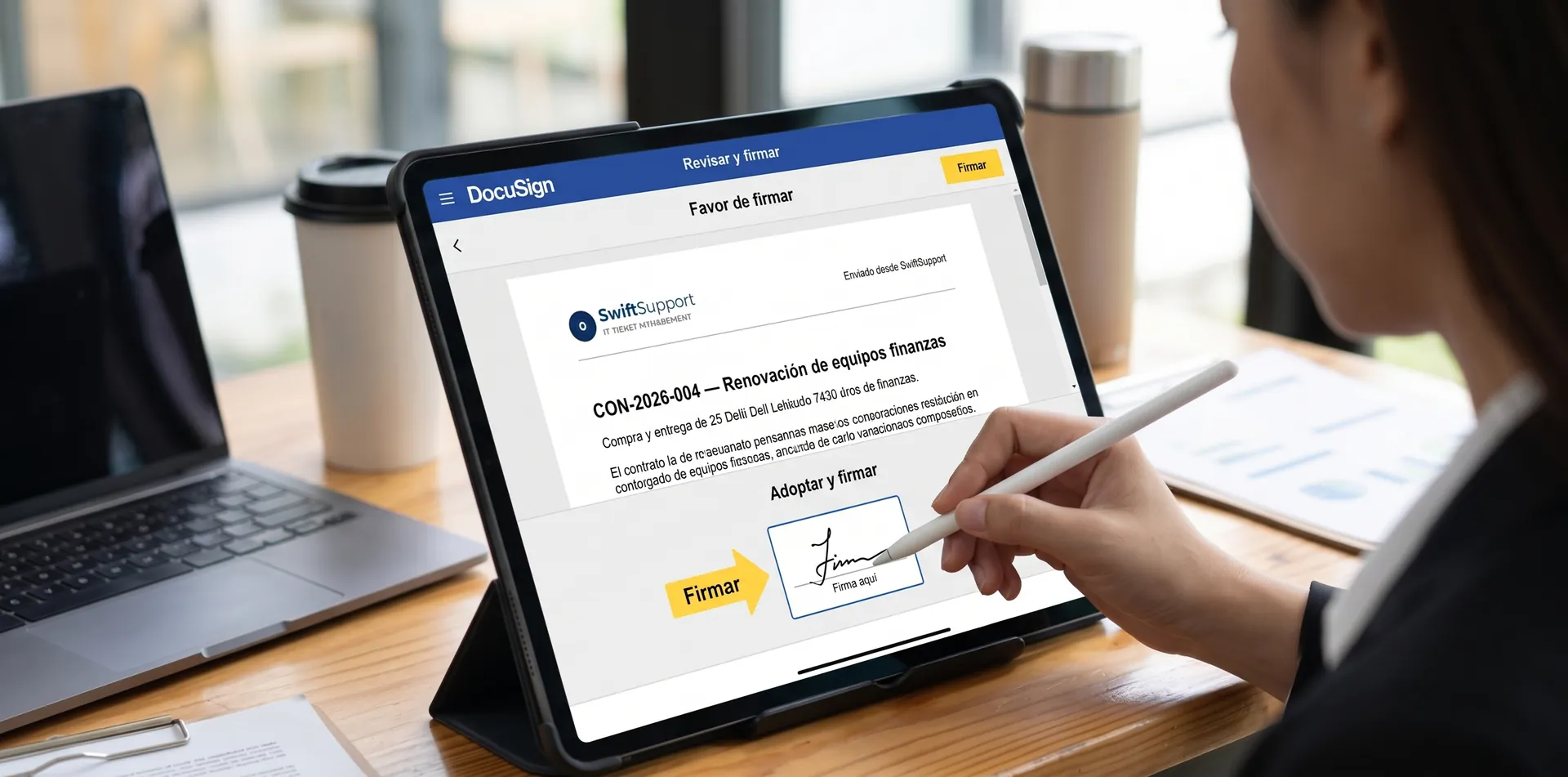
E-signature is built in: you upload the contract PDF, define the signers and the document is sent for signature through SignWell or DocuSign, depending on the provider you configure. When the contract comes back signed, the PDF is attached to the record. Contracts can also be linked to projects and carry additional attachments.
Key capabilities
Expirations and days remaining
Each contract shows how long until it expires or how long it has been expired.
Expiration alerts
Notices and a menu badge so you can decide in time.
Renew, cancel, edit
Direct actions from the contract record.
Status history
Every status change is recorded.
E-signature
Send the PDF for signature with SignWell or DocuSign and keep the signed document.
Vendor catalog
Vendors with their contact details, reusable across all contracts.
Amount and currency
Record each contract’s value to size your spending.
Link to projects
Relate contracts to the projects that originate them.
How it works
-
01
Record the contract
Enter vendor, dates, amount, owner and description.
-
02
Send for signature
Upload the PDF and send it for e-signature with SignWell or DocuSign.
-
03
Track the term
The system calculates the days remaining and alerts you before expiration.
-
04
Renew or close
Decide in time: renew, renegotiate or cancel, with a complete history.